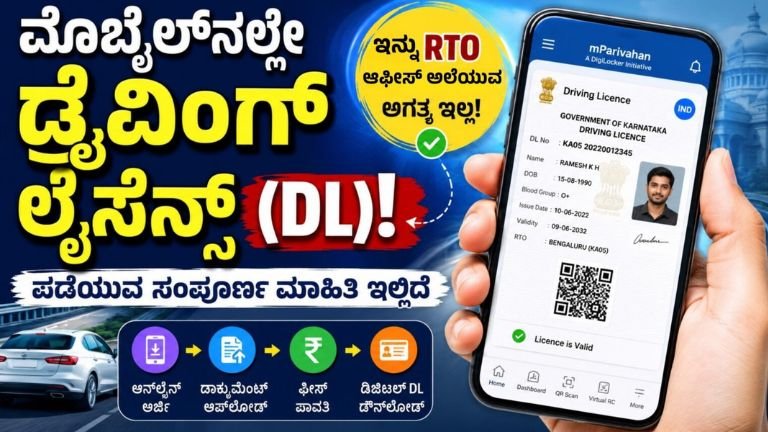
Apply for a Driving License (DL) Online Using Your Mobile – Complete Step-by-Step Guide
Getting a Driving License (DL) has become much easier with the Government of India’s Digital India initiative. Most transport-related services are now available online, allowing citizens to apply for a Learner’s Licence and complete several stages of the Driving Licence application process from their smartphone or computer.
Step 1: Apply for a Learner’s Licence (LL)
Before obtaining a permanent Driving Licence, every applicant must first obtain a Learner’s Licence.
Visit the Official Website
- Open your mobile browser or computer.
- Visit the official Parivahan portal.
- Select “Drivers/Learners Licence.”
- Choose your state (Karnataka or your respective state).
Submit the Learner’s Licence Application
- Click on “Apply for Learner Licence.”
- Read the instructions carefully.
- Select the appropriate option if you do not already possess a Driving Licence or Learner’s Licence.
- Click “Continue” to proceed.
Aadhaar Authentication
The Aadhaar authentication process makes the application much easier.
- Select “Submit via Aadhaar Authentication.”
- Enter your Aadhaar number.
- Verify using the OTP sent to your registered mobile number.
Once verified, your photograph and address details linked with Aadhaar may be automatically fetched into the application.
Fill the Application Form
Choose the vehicle category for which you want the licence, such as:
- Motorcycle with Gear
- Motorcycle without Gear
- Light Motor Vehicle (LMV)
- Other applicable categories
Complete the required self-declaration form and verify all details before proceeding.
Pay the Application Fee
Pay the prescribed Learner’s Licence fee using any available online payment method, including:
- UPI
- Net Banking
- Debit Card
- Credit Card
Attend the Online Learner’s Test
After payment:
- Watch the online road safety tutorial provided on the portal.
- Complete the online Learner’s Licence examination.
- The test generally consists of multiple-choice questions related to traffic rules and road safety.
- Your mobile or computer camera may be required during the examination.
Candidates who successfully pass the test can download their Learner’s Licence online.
Step 2: Apply for a Permanent Driving License
Once eligible after obtaining the Learner’s Licence, applicants can apply for a permanent Driving Licence.
Start the Application
- Visit the Parivahan portal again.
- Select your state.
- Click “Apply for Driving Licence.”
Enter Learner’s Licence Details
Provide:
- Learner’s Licence Number
- Date of Birth
Your existing details will automatically appear on the screen.
Verify Information
Check:
- Personal details
- Address
- Vehicle category
Correct any errors before submitting the application.
Upload Documents (If Required)
In many Aadhaar-authenticated applications, additional documents may not be required.
However, applicants may need to upload:
- Copy of Learner’s Licence
- Additional supporting documents if requested
Pay the Driving Licence Fee
Complete the online payment for:
- Driving Test Fee
- Licence Issuance Fee
Download and save the payment receipt for future reference.
Book Your Driving Test Slot
After payment:
- Select “Appointments” or “DL Test Slot Booking.”
- Choose your preferred RTO.
- Select a convenient date and time for the driving test.
Step 3: Attend the Driving Test
Visit the selected RTO office or driving test track on the scheduled date.
Carry:
- Learner’s Licence
- Appointment receipt
- Required documents
- Vehicle (if applicable)
During the test, the Motor Vehicle Inspector (MVI) will assess your driving skills. Depending on the vehicle category, applicants may be required to complete standard driving tracks such as the “8” or “H” pattern while following all traffic rules.
Apply Link
How Will You Receive Your Driving Licence?
After successfully clearing the driving test:
- Your Smart Card Driving Licence will generally be dispatched to your registered address through Speed Post.
- Delivery usually takes around 15 to 30 days, depending on processing time.
Use Your Digital Driving License
While waiting for the physical licence, you can legally use the digital version.
Simply download one of the following official apps:
- DigiLocker
- mParivahan
After logging in, your digital Driving License can be accessed and shown whenever required. The digital licence is legally valid across India under applicable government regulations.
Benefits of Applying Online
Applying through the official online portal offers several advantages:
- Easy online application process
- Minimal visits to the RTO office
- Secure Aadhaar-based verification
- Online fee payment
- Convenient driving test slot booking
- Legally valid digital Driving Licence
- Faster processing and transparent services
Driving License
The online Driving License application system has made the licensing process faster, simpler, and more transparent. By completing Aadhaar authentication, online application, fee payment, and appointment booking through the official Parivahan portal, applicants can complete most of the process from home.
Only the driving skill test requires a visit to the designated RTO office. After successfully passing the test, both digital and physical Driving License can be obtained without unnecessary delays.