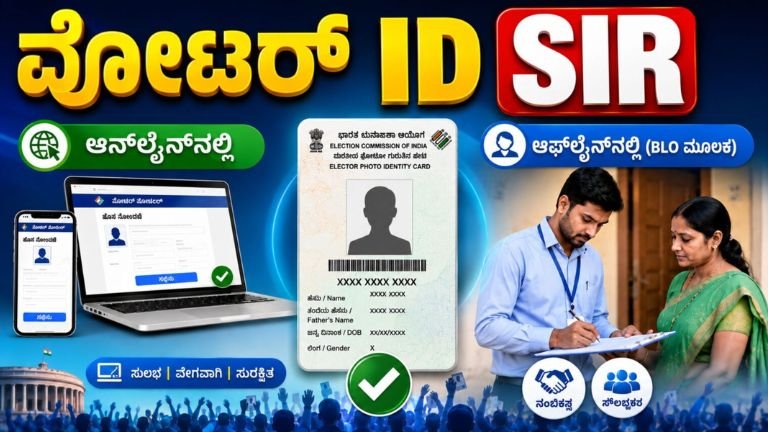
Voter ID SIR Process 2026: Complete Guide to Online and Offline Verification Through BLO
Keeping your Voter ID details updated is one of the most important responsibilities of every eligible citizen. To ensure that the electoral roll remains accurate and free from errors, the Election Commission has introduced the Special Intensive Revision (SIR) process. This initiative allows voters to verify their personal information, make necessary corrections, and ensure that only eligible citizens are included in the voter list.
Whether you prefer using your smartphone or computer, or wish to complete the process with the help of your local Booth Level Officer (BLO), the SIR process has been designed to be simple and convenient. In this article, you will find complete information about the SIR process, its benefits, required documents, and the step-by-step procedure for both online and offline methods.
What is the Special Intensive Revision (SIR)?
The Special Intensive Revision (SIR) is a voter list verification and updating campaign conducted by the Election Commission. The primary objective of this exercise is to maintain an accurate and updated electoral roll by verifying voter information such as name, address, date of birth, family details, and other essential records.
During this process, eligible voters can review their existing details and request corrections if any information is incorrect or outdated. This helps avoid issues during elections and ensures that every eligible citizen gets the opportunity to cast their vote without difficulty.
Why is the SIR Process Important?
An updated voter list plays a crucial role in conducting free and fair elections. If your personal details have changed due to marriage, relocation, correction of spelling mistakes, or any other reason, updating your information through SIR is highly recommended.
Completing the SIR process offers several advantages, including:
- Ensures your voter information is accurate.
- Helps update changes in residential address.
- Corrects mistakes in your name, age, or family details.
- Reduces the chances of voter-related issues on election day.
- Maintains an error-free electoral database.
- Prevents delays during voter verification at polling stations.
How to Complete the SIR Process Online
The Election Commission has made it possible for voters to complete the verification process digitally. Follow these simple steps:
Step 1: Visit the Official Portal
Open the official Voter Services Portal or the Election Commission’s voter service platform using any internet browser on your mobile phone, tablet, or computer.
Step 2: Sign In or Register
Log in using your registered mobile number or account credentials. If you have never used the portal before, create a new account by completing the registration process.
Step 3: Select the SIR Option
After logging in, locate and select the Special Intensive Revision (SIR) service or the voter verification option available on the dashboard.
Step 4: Enter Your EPIC Number
Provide your Voter ID number (EPIC Number). Once entered, your existing voter information will be displayed on the screen.
Step 5: Verify Your Personal Information
Carefully review all the displayed details, including:
- Full name
- Father’s or mother’s name
- Date of birth
- Age
- Residential address
- Family details
- Polling station information
If everything is correct, you can proceed. If you notice any mistakes, update the necessary fields.
Step 6: Upload Supporting Documents
Depending on the correction requested, you may need to upload scanned copies or clear photographs of supporting documents such as:
- Aadhaar Card
- Address proof
- Date of birth proof
- Any additional document requested by the Election Commission
Ensure that the uploaded documents are clear and readable.
Step 7: Review and Submit
Before submitting the application, carefully verify every detail once again. Once satisfied, click the Submit button to complete the application.
Step 8: Save the Reference Number
After successful submission, the system will generate a unique Reference Number or Application ID. Save this number carefully, as it will help you track your application status in the future.
How to Complete the SIR Process Offline Through BLO
Citizens who are not comfortable using online services can complete the entire process through their local Booth Level Officer (BLO).
The offline process is straightforward and especially useful for senior citizens and people without internet access.
Step 1: Contact Your Booth Level Officer
Visit or contact the Booth Level Officer assigned to your polling booth. You can also inquire at your local election office regarding the concerned BLO.
Step 2: Obtain the Application Form
The BLO will provide the required verification form. In many cases, the BLO may also visit your residence to collect voter information.
Step 3: Fill in the Details
Carefully complete the application form by entering all the required personal information accurately.
Step 4: Attach Supporting Documents
Submit photocopies of all necessary documents along with the completed application form.
Step 5: Submit the Form
Hand over the completed form and supporting documents to the BLO.
Step 6: Verification Process
The BLO will verify the information and forward the application to the Election Department for further processing.
Step 7: Electoral Roll Update
After successful verification by the Election Department, your corrected information will be updated in the electoral roll.
Documents Required for the SIR Process
Depending on your application, you may need one or more of the following documents:
- Voter ID Card (EPIC)
- Aadhaar Card (where applicable)
- Valid Address Proof
- Proof of Date of Birth
- Passport-size Photograph (if required)
- Any additional documents requested during verification
Keep both original and photocopies ready while applying offline.
Important Tips Before Applying
To ensure that your application is processed smoothly, keep the following points in mind:
- Always use only the official Election Commission portal or authorized mobile application.
- Double-check every detail before submitting your application.
- Never upload fake or forged documents.
- Keep your application reference number safe until the process is completed.
- Be available if the Booth Level Officer visits your residence for physical verification.
- Provide an active mobile number to receive important updates.
- If you need assistance, contact your Electoral Registration Officer (ERO) or your local BLO.
Who Should Apply for SIR?
The Special Intensive Revision process is beneficial for:
- Voters who have changed their address.
- Citizens who notice errors in their voter details.
- Individuals whose name, age, or family information requires correction.
- Eligible voters wishing to ensure that their information is correctly recorded before future elections
-
Apply Link